
1. Understand what a MU Online emulator does
The emulator is the foundation that runs your MU Online server. The client is the application players use to join it. Your project needs both parts to work together and settings that reflect the experience you want to offer.
DMO Engine brings together an emulator, client customization tools and a configuration panel. Its approach lets you create a server without renting or managing a VPS of your own, even if you have no previous experience.
2. Choose Season 3 and define your project
The currently available DMO Engine package is Season 3 base. Start with that version and decide on your server name, progression style and the community you want to build.
Before adjusting settings, write down your main rules: how long players should take to progress, the role of equipment and how you want resets to work. Making these decisions early helps avoid contradictory changes after launch.
We are also constantly working on new content and a system for downgrading as far as 0.97 and upgrading to Season 6. This system is in development.
3. Configure your MU server with a clear goal
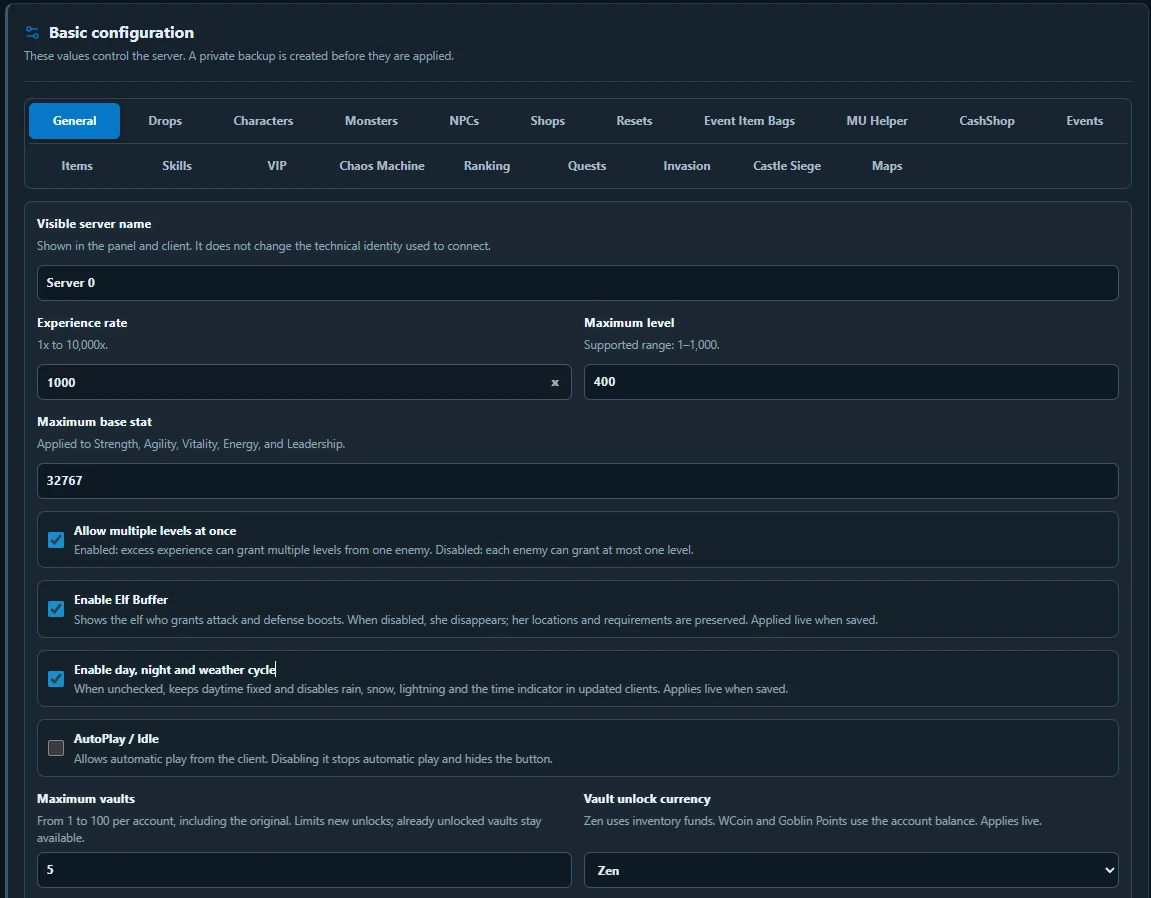
DMO Engine offers more than 100 customizable settings, with more planned. The panel brings together areas such as experience, characters, drops, monsters, shops, resets, events, MU Helper, CashShop and maps.
Organize your changes into groups. Review experience and maximum level first, then item acquisition and progression. Changing too many options at once makes it harder to identify what produced a result, so test your adjustments in stages.
4. Customize your identity and client
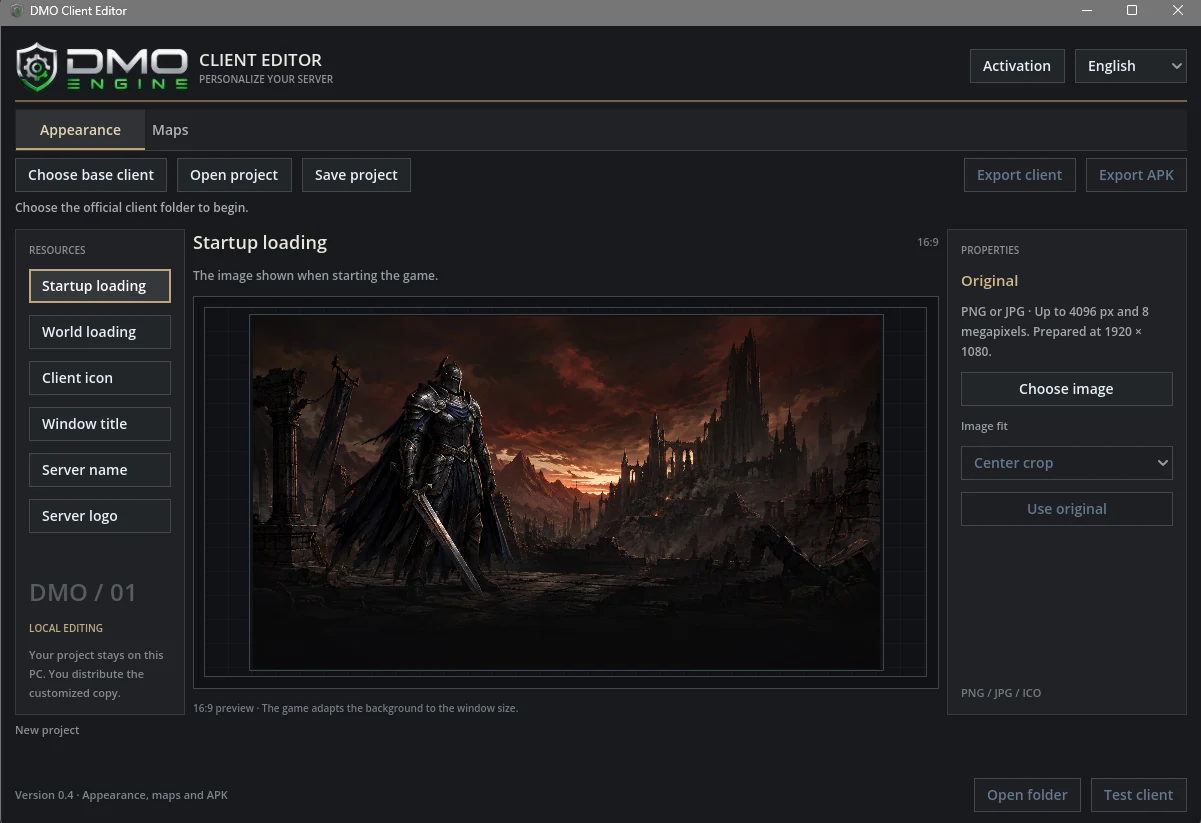
DMO Client Editor lets you work on client appearance and maps. The project's screenshots show options for loading images, the client icon, window title, server name and logo.
Keep a consistent identity across the website and game. Use readable images and check them at different sizes.
The DMO Engine client supports Android natively, plus Windows, iOS and browser. You can prepare and export it for these platforms from your project.
5. Review protection and test the experience
DMO Engine handles client protection at the server level; you do not need to install an additional anti-cheat. Game configuration and functional testing still form part of preparing your project.
Before inviting your entire community, test registration, login, character selection and entering the game. Check that your chosen settings behave as expected, then run a small player test to collect feedback.
The client delivers high performance on mobile and PC, with no engine-imposed FPS cap. Check smoothness and the interface on the devices your community will use; the frame rate achieved depends on the hardware and graphics settings.
6. Ask about the package and prepare your launch
DMO Engine plans start at US$35 per month, with hosting included. The available package is Season 3 base. For the details of the plan for your project, contact sales through WhatsApp or at [email protected].
When you get in touch, describe the server you want to create, the progression you have in mind and the platforms that interest you. This makes it easier to clarify the package terms and prepare your next steps.
Before opening to the public
- Your server name and identity are defined.
- Progression, drops and resets follow consistent rules.
- The client you distribute matches your project.
- Registration, entering the game and server settings have been tested.
- Players know where to find the rules and ask for help.